Home Workspace Community Achievements Features Pricing About Us Contact
Arduino lab · in your browser

Design your circuit. Simulate it with KiwisCAD.

Wire parts, write your sketch, and watch pins respond live — no install and no board required.

kiwiscad.app — circuit preview Live
D1
220Ω R1
D13 → LED → 220Ω → GND
D13 LOW
50+ Virtual Components
AVR Microcontroller
100% In-Browser Workflow
0 Desktop Installs
Platform Capabilities

A Complete Embedded Lab in Your Browser

Explore how KiwisCAD helps you move from circuit design to running firmware — step by step, without desktop tools.

01 — Design

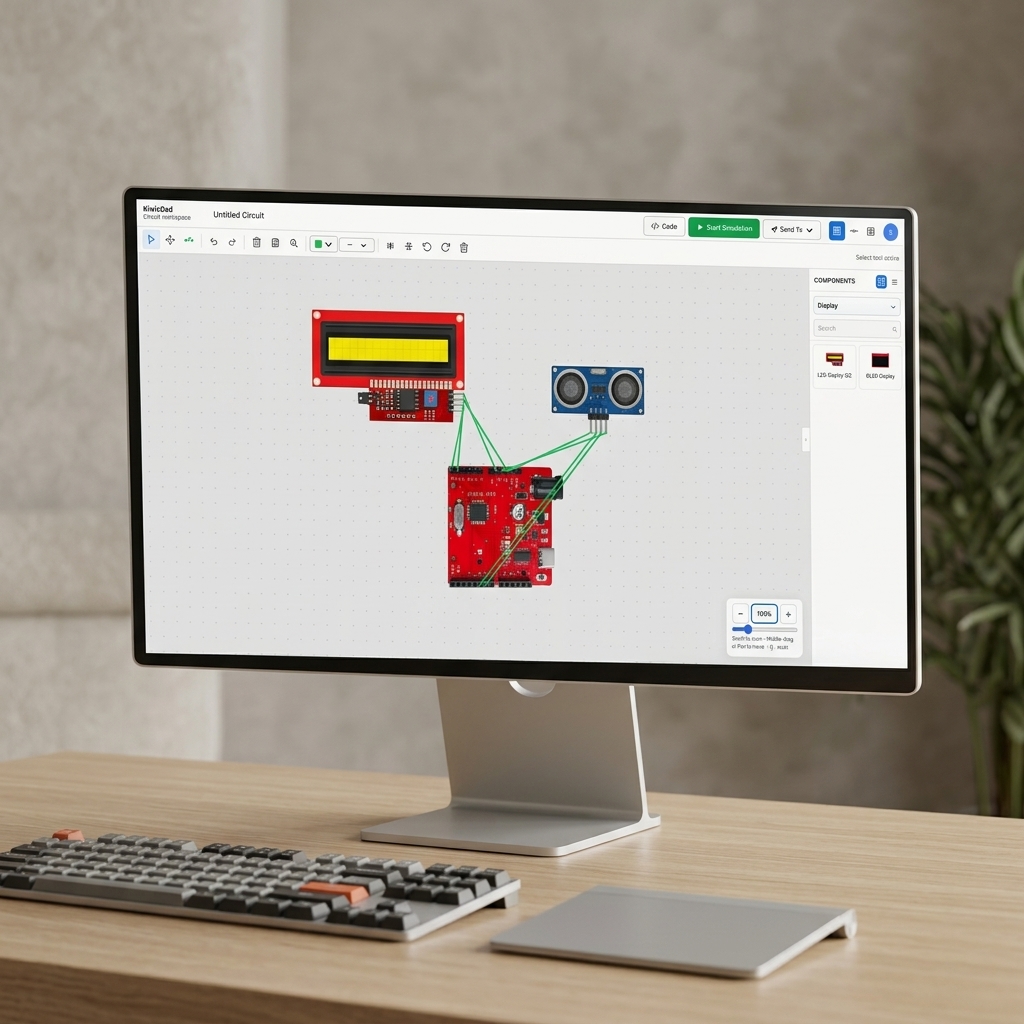
Visual Circuit Editor

Build your circuits on a beautiful virtual canvas. Drag and drop your Arduino and components, and connect their wires easily before writing any code.

  • Drag & drop components
  • Clean virtual workspace
  • Easy flexible wiring
Visual Circuit Editor — canvas workspace
02 — Core

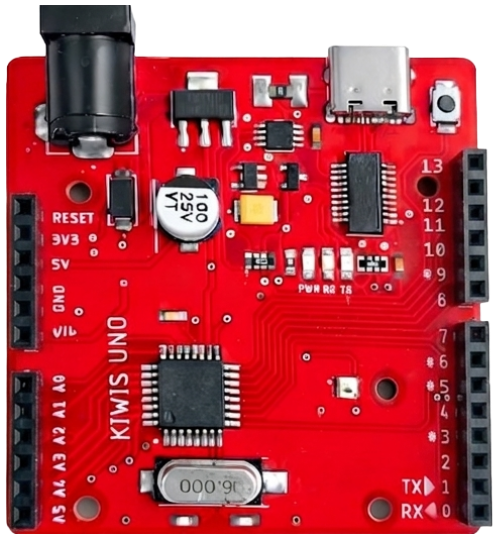
Microcontrollers

Your code runs on a built-in simulator that mimics a real Arduino Uno. It handles all the pins, signals, and math just like the physical board.

  • True Arduino behavior
  • Real-time signals
  • No hardware needed
Microcontroller chip
03 — Develop

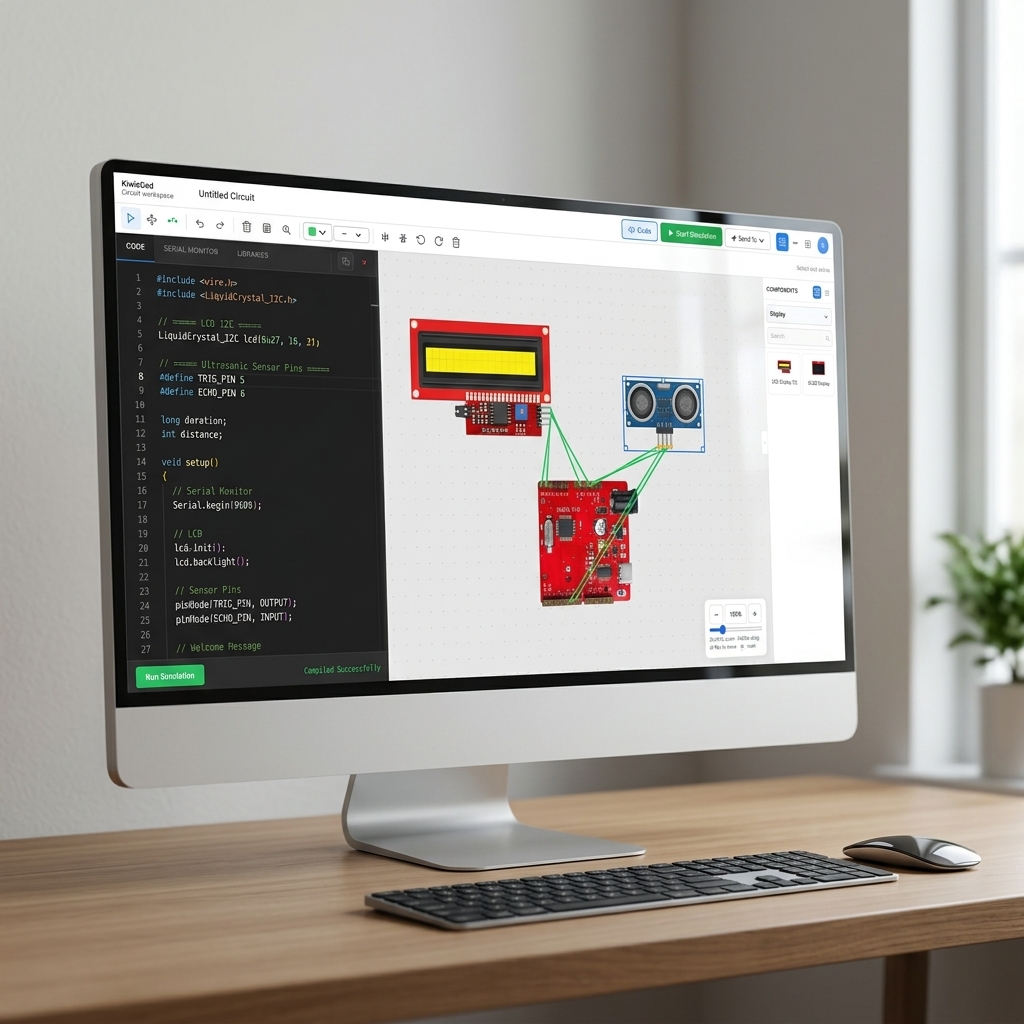
Built-In Code Editor

Write your Arduino code directly in the browser using our powerful editor. Hit compile, and your code is instantly ready to run and test.

  • Write code in browser
  • Fast cloud compiling
  • Instant testing
Integrated Code Editor
04 — Hardware

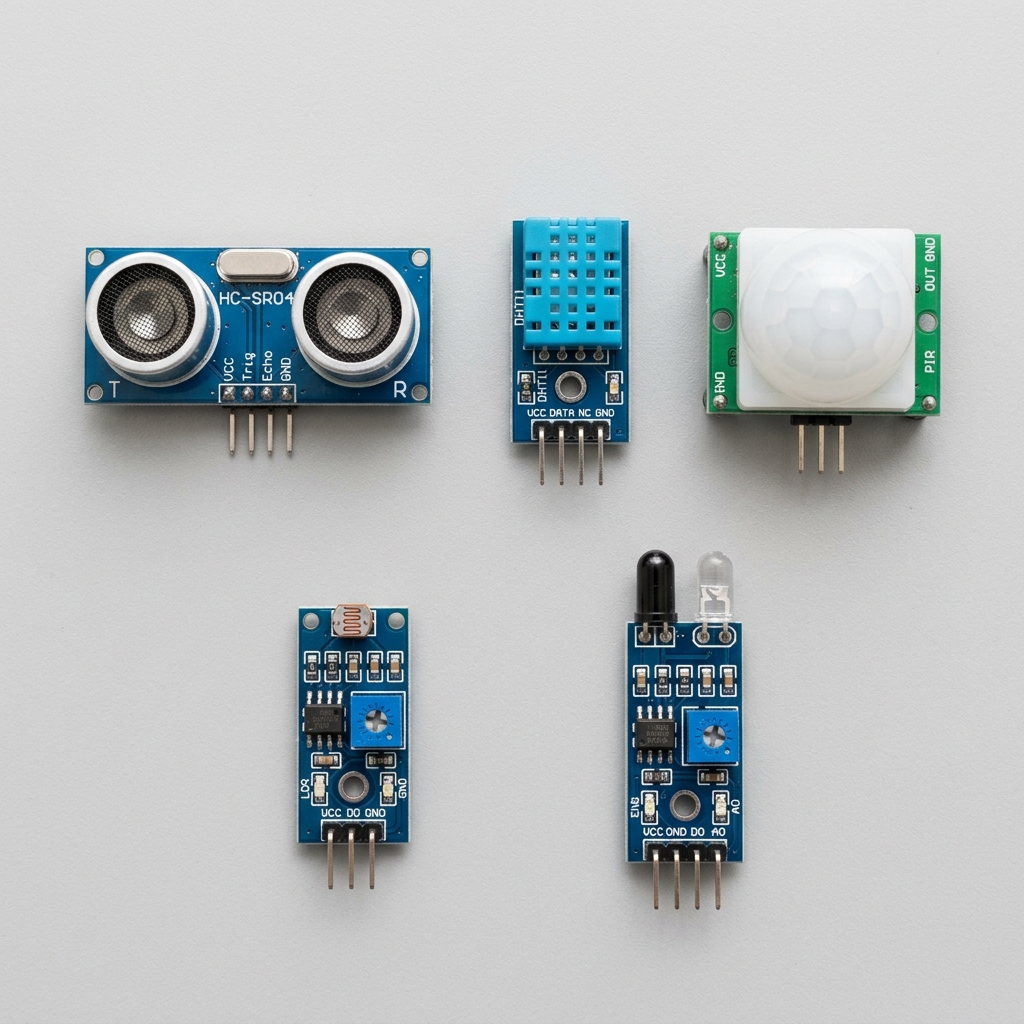
Wide Range of Sensors

Experiment with a variety of virtual sensors including Ultrasonic distance, DHT temperature, PIR motion, light sensors, and IR obstacle detectors.

  • Ultrasonic & motion
  • Temperature & humidity
  • Light & IR detection
Sensor Models
05 — Debug

Serial Monitor

Watch your Serial output live while your simulation runs. Print sensor values and catch issues early without needing a USB cable.

  • Live data output
  • Easy print debugging
  • No upload needed
Serial Monitor
06 — Learn

Interactive Tutorials

Learn quickly with interactive, step-by-step tutorials. Follow along to build circuits, write code, and simulate projects right in your workspace.

  • Step-by-step guides
  • Interactive learning
  • Build real projects
Interactive Tutorials
The Editor

One Workspace for Wiring, Code & Simulation

Open the KiwisCAD editor to place components, write firmware, compile sketches, and watch your circuit respond in real time — no separate tools required.

kiwiscad.app — circuit-001.kws
Live Simulation

From Breadboard to Running Code in 3 Steps

Follow the same workflow you use on the bench — design the circuit, write the sketch, then compile and simulate — entirely inside KiwisCAD.

Step 01

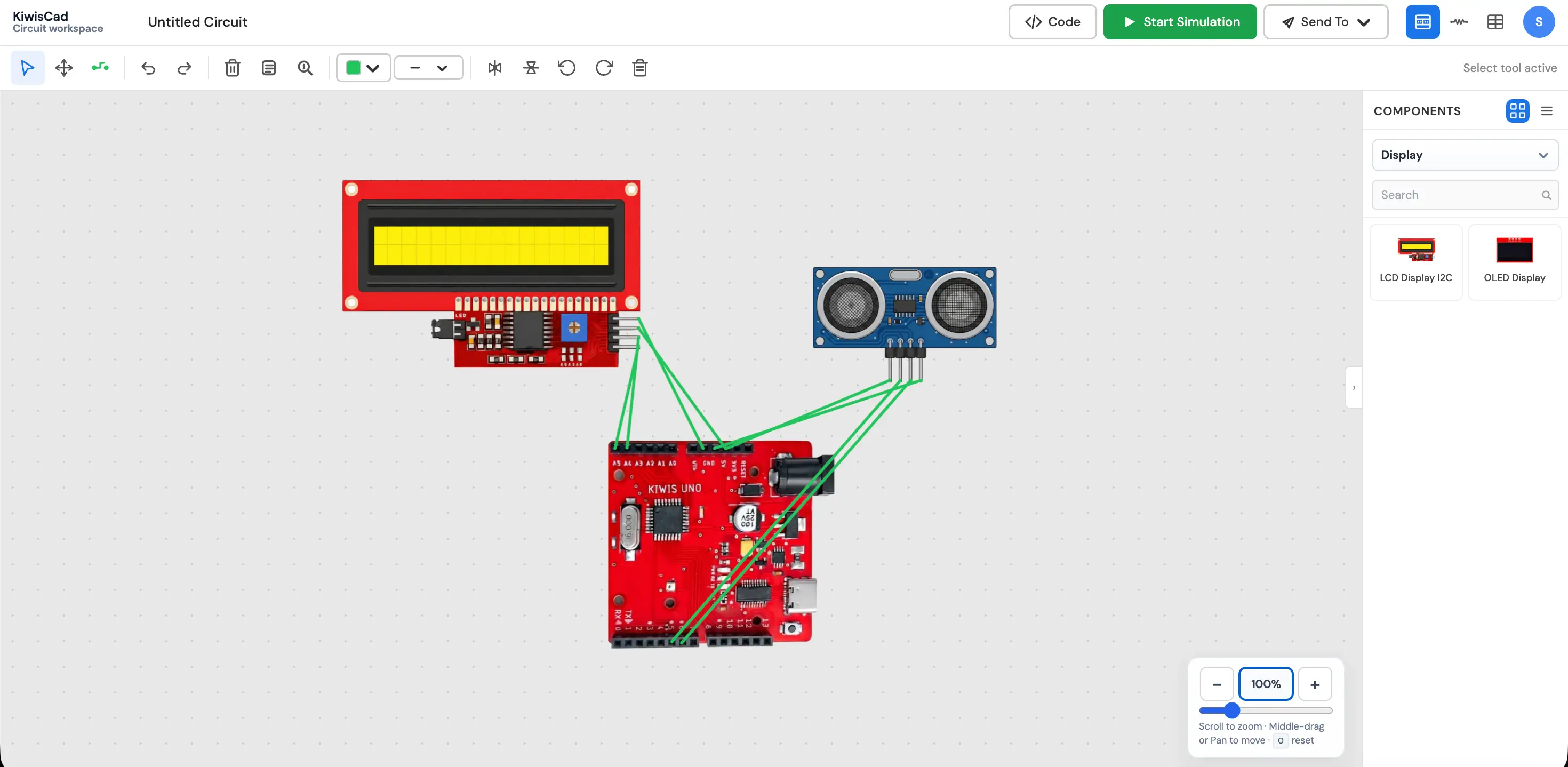
Wire Your Circuit

Place an Arduino Uno, wire up an LCD display, and connect an Ultrasonic sensor. Validate your hardware layout before writing any code.

  • Drag-and-drop 50+ components
  • I2C modules and sensor wiring
  • Flexible wire routing with pin snapping
Step preview
Community Feedback

Trusted by Embedded Builders

Hear from engineers, students, and makers who use KiwisCAD to prototype Arduino projects faster.

Frequently Asked Questions

KiwisCAD is a fully browser-based Arduino simulation platform. You can drag-and-drop virtual components onto a canvas, write real Arduino C/C++ sketches in the built-in Monaco code editor, compile firmware using Arduino CLI, and run hardware simulations on a cycle-accurate ATmega328P engine — all without installing any software on your machine.

No installation is required. KiwisCAD runs entirely in your web browser — Chrome, Edge, or Firefox are recommended for the best experience. Simply open the site, create a free account, and start building circuits immediately. Everything from compilation to simulation happens in-browser or on our secure servers.

KiwisCAD currently targets the Arduino Uno (ATmega328P). All sketches are compiled for this board, and the simulator faithfully models its GPIO pins, timers, UART serial output, analog inputs, PWM channels, and interrupt handling. Support for additional boards is planned for upcoming releases.

Head to the Examples Gallery and click Launch in Editor on any project — such as the LED Blink or Potentiometer Analog Reading examples. This opens a fully pre-wired workspace with starter code already loaded. Hit Start Simulation to see it run instantly. From there, tweak the code or components to start experimenting.

KiwisCAD integrates the hardware building and software writing phases into a single workflow. Instead of connecting real hardware, uploading code, and watching it fail, you can instantly run simulations in the browser. You also benefit from cloud saving, community sharing, and achievement tracking—all in a zero-install web application.

No questions in this category yet.